Power wheelchair repair in 2026: motors, brakes, joysticks and what 413 FDA reports show
Basic checks, flash codes and part prices for power wheelchair repairs, and what two AI coders found in 413 FDA reports about motors, brakes and controls.
Contents
- Stop and get help today if
- The short answer
- The parts that make a power chair go, stop and steer
- Six situations, and which route is yours
- What power wheelchair parts cost in 2026
- Five routes, from the cheapest fix to a new controller
- If your chair will not move at all
- Reading flash codes and error messages
- How Mobility Atlas read 413 FDA reports
- What the reports show: the big picture
- When the chair moves on its own
- When the chair stops without warning
- Joysticks, mounts and cables
- Motors, gearboxes and brakes
- Powered seating: tilt, recline, lift and legrests
- Fire, smoke and overheating
- Stranded: when the chair leaves you stuck
- The twelve death reports, read with care
- Who files these reports, and when
- The recall file: controllers, joysticks and software
- Pulling, veering and uneven driving
- Noise: what a sound can tell you
- Water, cold and heat
- Programming and settings
- Accidental joystick contact
- Lifts, ramps and vans
- Buying a used power chair
- Can you keep using a chair with a fault?
- What a good service covers, checkpoint by checkpoint
- What the FDA data cannot tell you
- Who can repair your chair
- Paying for repairs: Medicare and other funders
- Warranty, loan chairs and waiting times
- When to report a fault to the FDA
- Keeping a record when something goes wrong
- Choosing a repair, step by step
- A weekly check you can do at home
- Three traps that cost people the most
- Three composite scenarios
- Questions to ask before you pay
- Your plan: 10 minutes, today, this week
- Sources and documents
- Common questions
- Sources
Stop and get help today if
Chair playing up right now? Check this list first. Planning a repair? Start at the short answer below.
- The chair moves, speeds up, veers or keeps going when you have not asked it to, even once. Switch it off and do not drive it until a technician has checked it.
- The chair stops dead while you drive and you do not know why. A sudden stop can throw you forward out of the seat.
- The chair rolls on a slope or a ramp when it should hold, or the freewheel lever moves at a touch.
- You see smoke or sparks, or smell burning, from the joystick, a cable, a motor or under the seat.
- The tilt, recline, seat lift or legrests move on their own, or will not come back up or down.
- The joystick or its mount is loose, cracked or wobbles when you lean on it.
Most other faults in this guide can wait a few days. These six cannot, because they are the patterns behind the most serious reports we read.
The short answer
A power wheelchair has a small number of parts that make it go, stop and steer: the batteries, the controller (also called the power module), the joystick or other input device, two drive motors with gearboxes, and an electromagnetic brake on each motor with a freewheel lever. Most faults that stop a chair are in the batteries and the connections between these parts. Pride Mobility's troubleshooting sheet for one of its chairs says "Many of these problems occur because the batteries are not fully charged or because the batteries are worn down and can no longer hold a charge." Start there, then look at plugs, the circuit breaker and the freewheel levers.
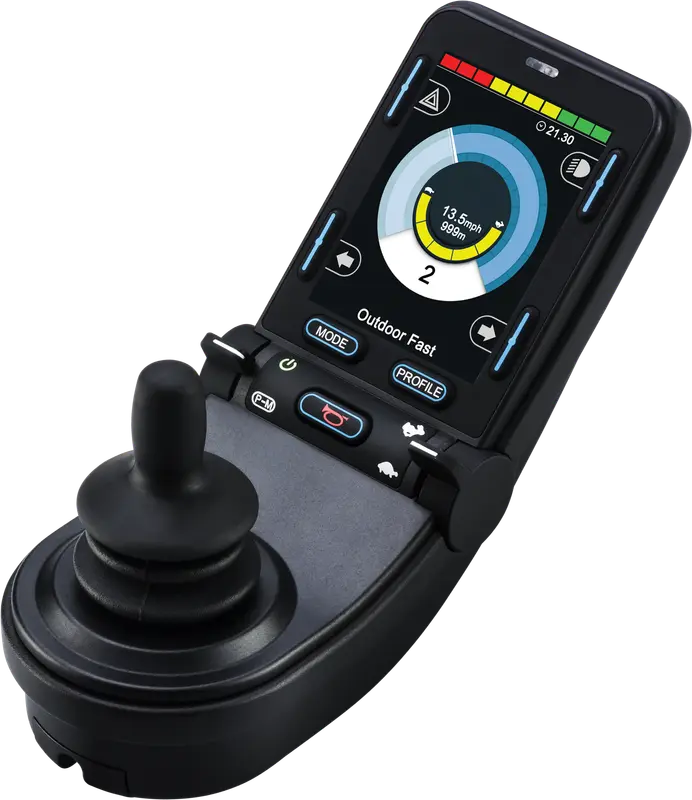
When a part has failed, the prices in this guide show why it matters which part. A joystick knob is listed at USD 4.99 and a joystick bus cable at USD 29.99. A joystick controller runs from USD 279.85 to over USD 1,400, and a drive motor assembly from about USD 400 to USD 1,180, as listed by one large parts retailer.
The safety part comes from something most repair guides never open: FDA reports filed under the power wheelchair product code from 2019 to August 2026 that name a motor, a brake, a controller, a joystick or a chair that stopped or would not move, 413 reports in all, each read by two independent AI coders working separately. 376 of them are clearly about power wheelchairs. The two biggest groups are chairs that moved when the user did not mean them to (82 reports) and chairs that stopped suddenly or would not drive (71). Both often end in a fall: 32 and 49 of them describe the user falling or the chair tipping.
None of this means power chairs are unsafe. It means the faults that matter most are specific, and most can be checked before they hurt someone. The sections below show how.
How to read the evidence: every quote below names the report, recall or document it comes from, and every count comes from the coded table published on the data and method page. Prices are list prices as read on makers', dealers' and retailers' pages, never offers.
The parts that make a power chair go, stop and steer
| Part | What it does | Typical signs of trouble |
|---|---|---|
| Batteries and battery harness | Store and carry the power | Short range, slow driving, sudden cut-outs, a battery error |
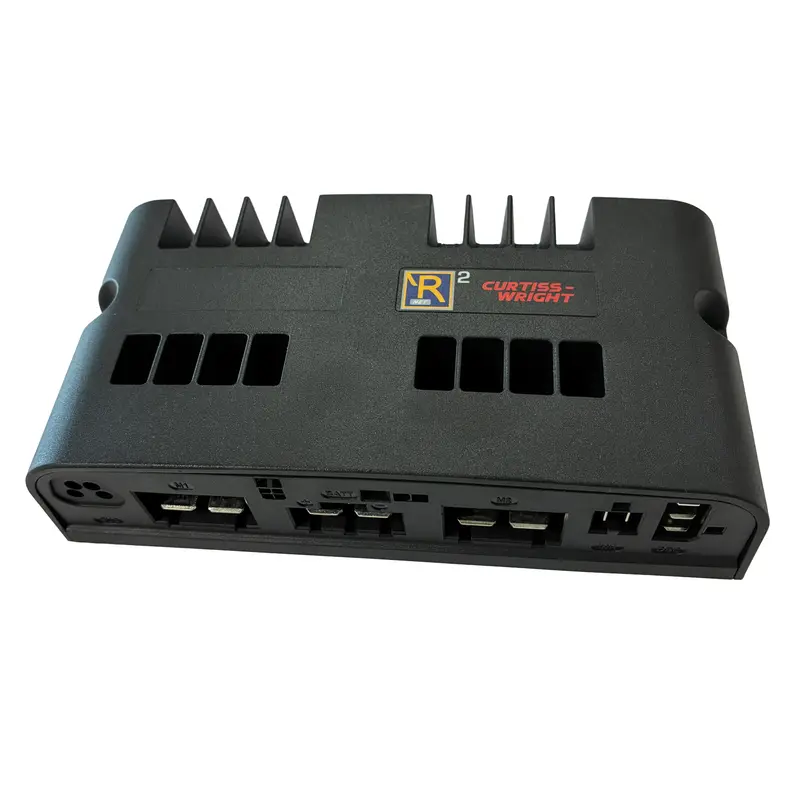
| Controller (power module) | Turns joystick commands into motor power | No drive, error codes, chair stops or behaves oddly |
| Joystick or other input | Tells the controller where to go | Drift, jerky driving, a joystick error, a dead display |
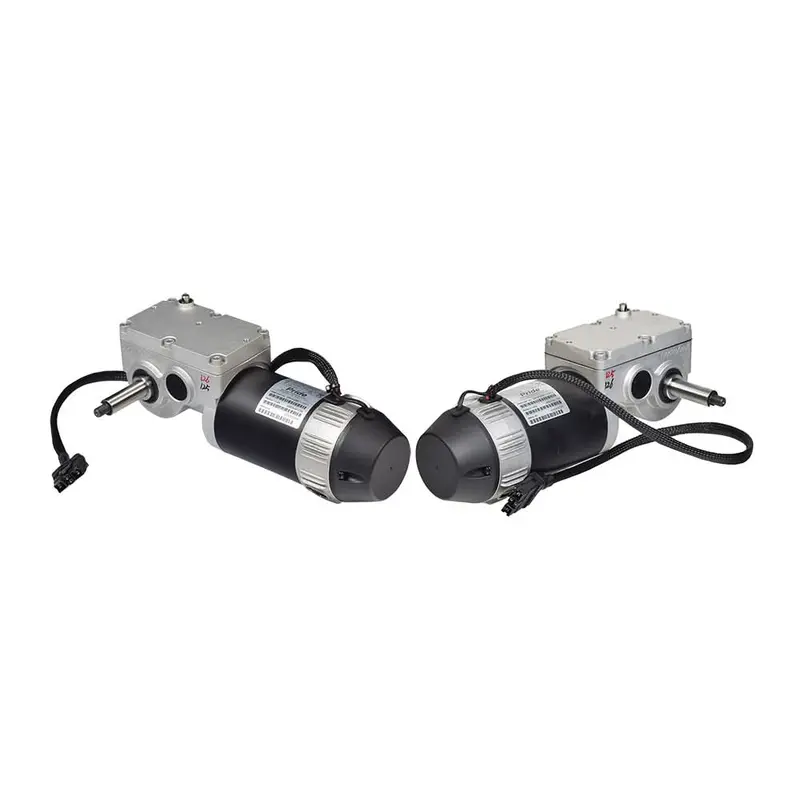
| Drive motors and gearboxes | Turn the wheels | Noise, heat, pulling to one side, one side not driving |
| Electromagnetic brakes | Hold the chair when it stops | Rolling on a slope, a brake error, clicking that does not stop |
| Freewheel levers | Release the brakes so the chair can be pushed | Chair will not drive, a park brake fault, rolling away |
The controller and the joystick
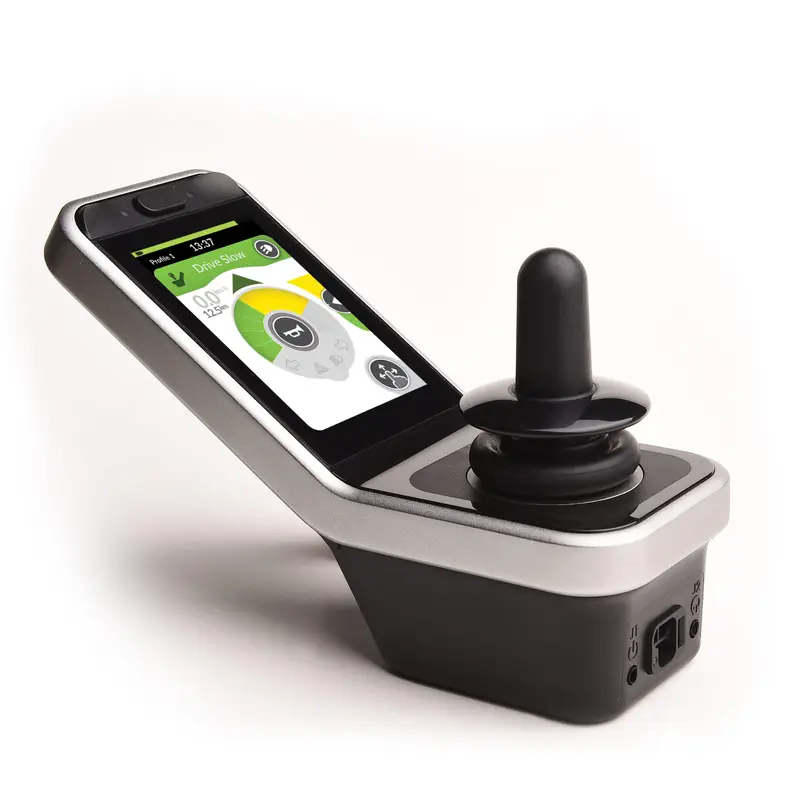
The controller sits under the seat and does the thinking. It checks the batteries, the motors and the brakes, and refuses to drive when it finds a fault, which is why many chairs stop rather than misbehave. The joystick module on the armrest sends the commands and shows the battery gauge and any error. Some chairs use a different input instead: a mini joystick, a head array, a chin control or sip-and-puff. The catalog lists several, such as the R-net CJSM2 joystick module and the LiNX REM400 touchscreen remote.
Motors, gearboxes and brakes
Each drive wheel has its own motor, gearbox and electromagnetic brake. The brake holds the chair whenever the power is off or the joystick is in neutral, and releases with a click when you start to drive. Pride's sheet says of that click that "the click is the sound of the brake releasing to allow the motors to turn." A freewheel lever on each motor releases the brake by hand so someone can push the chair. Left in freewheel, the chair will not drive, and on a slope it will roll.
Six situations, and which route is yours
- The chair is completely dead: no lights. Route 1: batteries, connections and the circuit breaker.
- The chair turns on but will not drive, or shows an error or flashing lights. Route 1, then route 2 with the error code written down.
- The chair stops by itself while driving, or cuts out over bumps. Stop relying on it outdoors and read the section on sudden stops. Route 2.
- The chair moved, sped up or kept going when you did not mean it to. Stop using it and read the section on unintended movement. Route 2 at once.
- The chair pulls to one side, grinds or a motor gets hot. Route 1 for tyres and casters, then route 3.
- The tilt, recline or seat lift misbehaves. Read the section on powered seating. Route 2, and ask about a manual override before you use it again.
What power wheelchair parts cost in 2026
| Part | Example | Listed price |
|---|---|---|
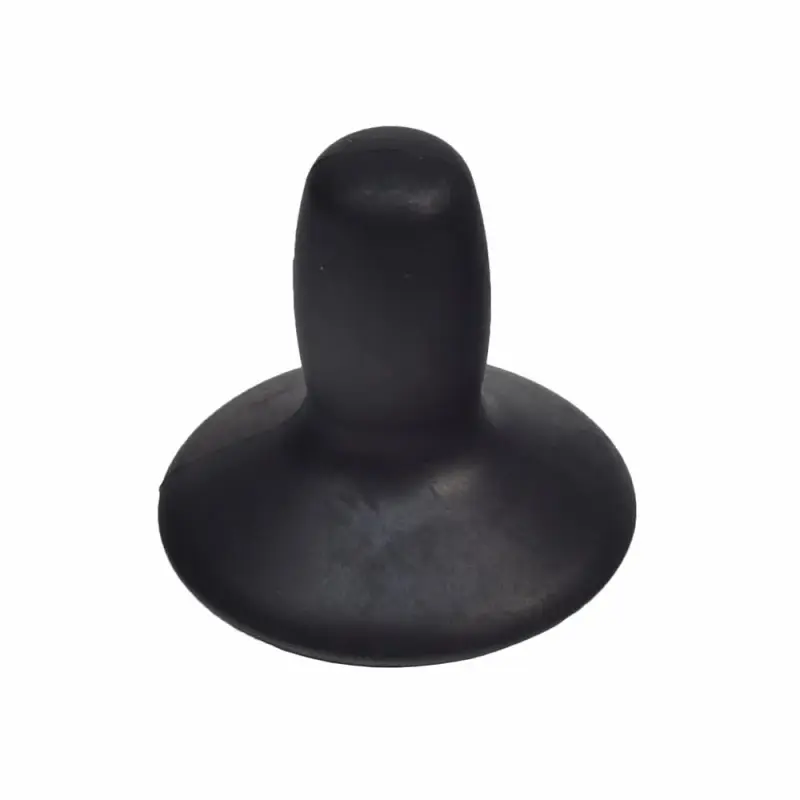
| Joystick knob | PG Drives knob for VSI, VR2 and Q-Logic | USD 4.99 |
| Freewheel lever | Pride freewheel lever and cap for Go-Go and Travel Pro scooters | USD 3.17 |
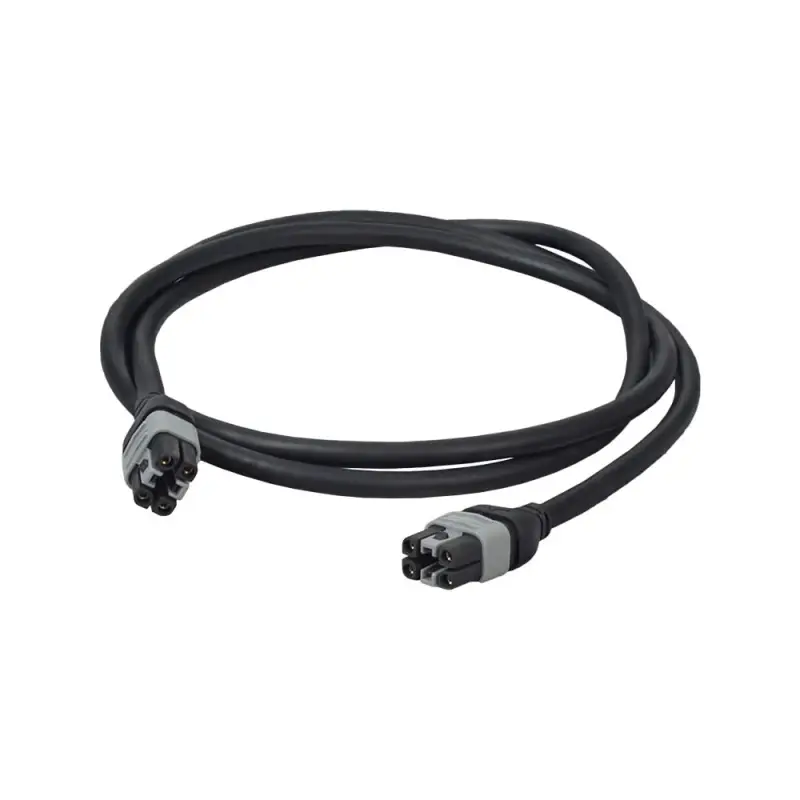
| Joystick bus cable | Dynamic Controls 1.5 m cable | USD 29.99 |
| Joystick extension cable | 40 in cable for VR2 controllers | USD 45.76 |
| Joystick keypad | Remote Plus 3-key or Q-Logic keypads | USD 24.36 to USD 50.10 |
| Joystick controller | Jazzy Carbon version 2 to Q-Logic EX stand-alone | USD 279.85 to USD 1,413.16 |
| Motor brake | Motor brake for the Jazzy 1120 | USD 332.75 |
| Drive motor | Jazzy Select right drive motor to Jazzy 1450 motor assembly | USD 406.99 to USD 1,180.00 |
| Drive motor with gearbox and brake | Jazzy Elite 14 and Elite HD, per side | USD 449.99 |
How much does it cost to repair a power wheelchair? Mobility Atlas checked listed part prices in October 2026, and the answer depends almost entirely on which part has failed. Small parts cost little: a joystick knob is listed at USD 4.99 and a joystick bus cable at USD 29.99. Electronics cost more: joystick controllers on one large parts retailer's site run from USD 279.85 for a Jazzy Carbon unit to USD 1,413.16 for a Q-Logic EX stand-alone controller, with an Invacare MKIV A+ joystick at USD 718.99. Drive motors run from USD 406.99 for a Jazzy Select motor to USD 1,180.00 for a Jazzy 1450 motor assembly, and a motor brake for the Jazzy 1120 is listed at USD 332.75. Add labour and a call-out fee if a technician does the work. Before paying, ask whether the chair is still under warranty and whether your funder covers repairs.
These are list prices from one retailer, Monster Scooter Parts, and from the Mobility Atlas catalog. Parts are specific to the chair, the controller family (such as PG Drives VR2, VSI or R-net, Dynamic Shark or LiNX, or Q-Logic) and sometimes the software version, so the right part may cost more or less than these examples.
Five routes, from the cheapest fix to a new controller
Route 1: check the basics at home (free)
Pride's troubleshooting sheet for its Jazzy 614 lists the first checks when a chair seems dead: make sure the batteries are installed and wired properly, the battery terminals are tight, the battery harness connections are fully joined, the main circuit breaker has not tripped, and the controller is fully connected to the power base. If the chair runs slower than it used to, it says to check the speed setting and when the batteries were last charged, and notes that the electronics slow the chair to protect themselves when they get too hot. If it pulls to one side, check that the joystick is pushed straight, that both tyres are at the right pressure and that both casters swivel freely.
Route 2: a technician reads the error and checks connections
Most controllers log faults and show them as a flash code or a message. A technician with the programmer or software for your controller can read the log, test the motors and brakes, and check the cables between the joystick, the controller, the motors and the batteries. Write down the code and what you were doing when it appeared.
Route 3: replace a mechanical part
Worn motor brushes, a noisy gearbox, a brake that will not hold, a broken freewheel lever or a damaged cable are parts jobs. Pride's sheet notes that "Missing or worn motor brushes can cause an increased use of voltage while driving." Ask for the part to be named on the invoice.
Route 4: replace the joystick or controller
Electronics are the most expensive single repair short of a new chair. Ask whether the controller can be reprogrammed or updated first, and whether a recall or software update applies to your model.
Route 5: replace the chair
When repairs approach the cost of a new chair, or the chair has reached the end of its funded life, replacement may make more sense. Our electric wheelchair guide covers types and prices.
If your chair will not move at all
Why won't my power wheelchair move? Mobility Atlas compared the makers' troubleshooting advice with the FDA reports about chairs that stopped, and the commonest answers are simple ones. Start with the batteries: are they charged, and are the plugs and terminals tight? Pride's troubleshooting sheet adds the main circuit breaker, which can trip and needs pushing back in, and the connection between the controller and the power base. Next, check both freewheel levers. A lever left in freewheel stops many chairs from driving, and Pride's sheet lists a park brake fault with the advice to make sure the brake is not in freewheel mode. Then make sure your hand is off the joystick when you switch on, because many controllers refuse to drive if the joystick is pushed at power-up. If none of that works, write down any flashing code or message and call the dealer, because the fault is then most likely in the controller, a motor or a cable.
- No lights at all: batteries, battery plugs, main circuit breaker.
- Lights but no drive: freewheel levers, joystick in neutral at power-up, lock mode.
- Lights flashing a number: count the flashes and look up the code in the manual.
- Drives slowly: the speed setting, the battery level, or the chair cooling itself after a long climb.
Reading flash codes and error messages
Every controller family has its own codes, so the manual for your chair is the only reliable key. As an example, Pride's sheet for the Jazzy 614 with a Dynamic controller lists eleven flash codes. The service light flashes a number of times, pauses, and repeats.
| Flashes | What the sheet says it means | What the sheet says to do |
|---|---|---|
| 1 | Possible stall timeout | Turn joystick off, then on |
| 2 | Battery fault | Charge batteries, check battery connections and fuses |
| 3 or 4 | Left or right motor fault | Make sure the motor is plugged in |
| 5 or 6 | Left or right park brake fault | Make sure the brake is not in freewheel mode |
| 7 | Joystick fault | Check the joystick connection |
| 8 | Power module fault | Check connections to the power module and batteries |
| 9 | Controller communication fault | Check bus connections from the joystick to the power module |
| 10 or 11 | Controller fault or incompatible device | Contact technical service |
The same sheet describes two states that look like faults but are not. If the battery lights chase from right to left and the chair will not drive, the controller is in lockout mode; the sheet says "To unlock the controller, press the horn button twice." If the lights flash rapidly non-stop, the controller has detected the joystick out of neutral at power-up, and the fix is to let go of the joystick before switching on.
Codes on other chairs differ: an R-net display shows a message such as a joystick error, and a LiNX remote shows text. Photograph the screen when a fault appears. That one picture often saves a technician a visit.
How Mobility Atlas read 413 FDA reports
The FDA collects reports about problems with medical devices in a public database called MAUDE. Power wheelchairs have their own product code, ITI. Makers must file reports about some events, and users, families and health workers can file them voluntarily.
We searched every ITI report received from 1 January 2019 to the latest update on 10 October 2026: 993 reports from 2019 to 2023 and 1,296 since 2024. From those we took every report with text that names a motor, a brake, a gearbox, a controller or power module, a joystick, an error or fault code, a beep, a freewheel lever or clutch, or says the chair stopped, shut off or would not move, and that does not name a power add-on for a manual chair. That made a pool of 413. 376 of them are about power wheelchairs; the rest concern scooters, add-ons or devices the report does not name, and are left out of the counts below.
Before reading any report, we wrote a codebook: categories for what went wrong, with the order in which they apply, the part named, whether the report states an injury, a fall or a user left stranded, and what the maker or service found. We fingerprinted it so that any later change would show. Two coders then read every report separately, without seeing each other's answers. The coders were AI models working separately; the method page says so in full.
| What the coders recorded | Agreement | Cohen's kappa |
|---|---|---|
| Main category | 94.7 percent | 0.936 |
| Part named | 89.6 percent | 0.859 |
| Injury stated | 97.6 percent | 0.951 |
| Fall | 99.3 percent | 0.985 |
| User stranded | 97.8 percent | 0.882 |
| What was found | 94.2 percent | 0.906 |
A kappa of 1 means perfect agreement and 0 means no better than chance. Each of the 101 reports where the coders differed was decided under a written rule, and a final consistency pass changed 18 more codes. The rules, the codebook and the coded table are on the data and method page.
One limit matters above all. The FDA's MAUDE page says "MDR data is not intended to be used either to evaluate rates of adverse events" and that "The submission of an MDR itself does not necessarily demonstrate that the device caused or contributed to the adverse outcome or event." Every count below counts reports, not chairs, and not people.
What the reports show: the big picture
| What the report says went wrong | Reports | With a fall or tip | With an injury stated | User stranded |
|---|---|---|---|---|
| Chair moved when the user did not mean it to | 82 | 32 | 47 | 9 |
| Chair stopped suddenly, cut out or would not drive | 71 | 49 | 35 | 14 |
| Event with no chair fault stated | 101 | 14 | 42 | 3 |
| Tip or fall with no fault named | 33 | 32 | 22 | 2 |
| A part broke or came loose | 26 | 15 | 16 | 5 |
| Fire, smoke, sparks or overheating | 25 | 0 | 4 | 1 |
| Powered seating moved or failed | 19 | 4 | 11 | 7 |
| Brakes or rolling | 10 | 5 | 2 | 1 |
| Problem alleged, cannot tell what | 9 | 4 | 6 | 1 |
Unintended movement and sudden stops together make up 153 of the 376 reports, and they are the heart of this guide. Both are about the drive system: the joystick, the controller, the motors and the brakes. Both are dangerous for the same reason. A chair that lurches or stops throws the user's body forward, and many power chair users cannot catch themselves.
The largest single group, 101 reports, alleges no fault in the chair at all. Many describe users struck by cars while crossing a road; 47 of them use words like "struck by" or "hit by". Others describe a joystick knocked by an arm, a sleeve or a tray. They matter for safety, but they say nothing about repairs.
| Part the report names | Reports |
|---|---|
| Joystick or other input device | 67 |
| Drive motor or gearbox | 24 |
| Controller, power module or wiring | 23 |
| Wheel, tyre or caster | 16 |
| Seat actuator | 12 |
| Brake or freewheel lever | 11 |
| Battery, fuse or charger | 10 |
| Another part | 18 |
| No part named | 195 |
Half the reports name no part at all, which is typical of a complaint filed before anyone has looked at the chair. Where a part is named, the joystick comes first by a wide margin.
When the chair moves on its own
82 reports describe a chair that moved, sped up, spun, veered or kept going when the user had not asked it to, or would not stop when asked. 47 state an injury and 32 a fall. Many end against something solid: a stove, a cupboard, a wall, a dryer.
The stories are short and alarming. One user's chair "moved on it's own and ran into the dryer" while she did the laundry. Another alleged that the chair "got stuck going forward, even though he had let go of the joystick completely" and pinned his foot against kitchen cupboards. In another report the user was washing her hands at the sink when the chair moved forward, allegedly on its own, and broke her leg; she said her arms were not close to the joystick, which was swung out to the side.
The joystick is the part named most often in these reports: 31 of the 82. Others name the controller (5) or a motor (7); 33 name no part. In 9, the words show the chair kept going after the user let go of the joystick.
Many could not be confirmed. In 52 of the 82, the maker or service found no fault, could not duplicate the problem or found an outside cause; in 18 the chair was never examined; in 12 a fault was found or a part replaced. One dealer reported that a chair "speeds up and slows down on its own, without any prompting from the joystick." The maker's report says the symptoms were consistent with a joystick recall from 2013 that covered that chair, issued because of an insufficient electrical connection inside the joystick.
- Switch the chair off whenever you stop for more than a moment: at a sink, a table, a counter or in a lift.
- Swing the joystick away, or fit a guard, if trays, sleeves or bags can catch it.
- If the chair moves by itself even once, stop driving it and call the dealer. Write down where, when and what you were doing.
- Ask the dealer to check the joystick for drift and the controller log, and whether any recall or software update applies.
- Keep a way to cut the power within reach: the on/off button, or a key if your chair has one.
When the chair stops without warning
71 reports describe a chair that stopped suddenly, cut out, would not drive, showed an error or would not turn on. 49 of them describe a fall, more than any other group, and 35 state an injury. Typical reports say the chair "stopped abruptly launching him out of the chair", or that the device stopped "causing the end-user to lose their positioning and fall out of the seating to the ground".
Where a part is named, it is spread across the drive system: the joystick in 11, the controller in 12, a motor in 9, a wheel in 3, the batteries in 5. One report says the right motor "seized"; another that the motors were "locking up". 14 of these reports describe a user left stranded, more than any other category.
A sudden stop is often the controller protecting itself. It cuts power when it sees a fault in the batteries, a motor, a brake or a cable. That is safer than driving on with a fault, but the stop itself can throw a user forward, especially at speed or going downhill. Several reports describe stops while driving down a hill or a ramp.
- Wear the positioning belt your seating team prescribed. A stop throws you forward even at walking pace.
- Drive slowly downhill and on ramps, where a stop is most likely to tip you forward.
- If the chair cuts out over bumps, tell the dealer that exact detail. It points at a loose connection.
- Keep the batteries charged; a weak battery is one of the commonest reasons a controller shuts down.
- Carry a phone, and agree with someone who to call if the chair stops away from home.
Our battery and charging guide covers range, cut-outs and battery faults in detail.
Joysticks, mounts and cables
The joystick is the part named most often across all the reports: 67 of 376. It is also the part users touch all day, lean on, knock and catch, and the part whose cable runs past armrests and hinges.
Some reports describe a joystick that came loose or broke. In one, a retractable joystick came loose and fell, and the chair kept driving into a dog cage; the maker found the part worked as intended but named under-tightening of the clamp as the most probable cause. In another, a user fell while transferring onto a toilet when the joystick came off; the maker says he had put his weight on it, and he was stuck on the floor for two and a half days. The maker's report says a technician had made a temporary fix the week before, after an earlier break, using Velcro tape, which the maker said was not to its specification.
Others describe cables. One report says a joystick cable "became pinched in the armrest as it was lowered", sparking and melting the plastic. Another hung loose, dragged on the ground and caught in a caster, causing a fire.
- Never lean on the joystick or use it as a handle when you transfer.
- Check the joystick mount every week: it should not wobble, and the swing-away arm should lock.
- Look along the joystick cable where it bends at the armrest and the seat. Replace a cracked or flattened cable.
- A worn joystick knob is a USD 4.99 part in our catalog; replace it before it splits.
Motors, gearboxes and brakes
24 reports name a drive motor or gearbox and 11 a brake or freewheel lever. These are the parts where a fault is often confirmed: a fault was found in 12 of the 24 motor reports, a higher share than for any part except the batteries (6 of 10).
Motor reports describe noise, heat, pulling and locking. One dealer reported a squealing motor that "will not disengage to be put in free wheel"; another a motor that "is freewheeling constantly and will not lock in". A user complained that motors were "too hot to touch". One report alleged that a motor on one side lost power while the other kept going, spinning the chair and throwing the user into the street; the maker could not duplicate it.
Brake reports are fewer but serious. A technician confirmed that "at the slightest movement of the red lever, the motor disengages the brake". In another report, a chair on a vehicle's platform lift rolled backwards off the platform after the user heard the electric brake click, and fell about two feet to the ground. Permobil found the chair working normally, noted that it had been left switched on, and recommended switching it off on a lift.
- Listen to your chair. A new grinding, squeal or knock from a motor is a reason to book a service.
- Do not touch the motors after driving. One maker's manual, quoted in a report, warns that contact with the motors could cause burns and says to let them cool for at least 30 minutes. If a motor smells hot or one side seems to run hotter, book a service.
- Check that both freewheel levers are fully engaged before every trip, and that they do not move at a touch.
- On a slope, the chair should hold when you let go of the joystick. If it creeps, stop using slopes and call the dealer.
- Do not drive through puddles or wash the chair with a hose; water damages motors and brakes.
Powered seating: tilt, recline, lift and legrests
19 reports describe powered seating that moved by itself, failed, or trapped the user. 7 describe a user left stranded, the highest share of any category, because a seat that stops in a tilted, reclined or raised position can leave someone unable to move.
In one report, the seating went into forward tilt as the chair powered up, pinning the user against a wall, and 911 had to be called to free them. In another, a chair showed an error while reclined; the user wrote that "there is no mechanism to bring the chair manually to the upright sitting position" and that the fire department had to lift the user out. A parent reported that a tilt that would not work had led to pressure sores. Two reports from 2026 allege that a joystick caused an uncommanded recline from 90 to 0 degrees and a fatal injury; the device had not been evaluated.
- Ask your dealer whether your powered seating has a manual override, and learn how to use it.
- If you rely on tilt or recline for pressure relief, tell your clinician as soon as it stops working.
- Do not use powered seating near walls, tables or people until you have checked it moves only when commanded.
- Keep the seat controls clear of trays, bags and sleeves.
Fire, smoke and overheating
25 reports describe fire, smoke, sparks, melting or overheating. 10 name the joystick, more than any other part, often at the cable, the connector or the charging socket on the joystick. Others name the batteries, a motor or the controller.
One report alleges a joystick "right near the strain relief caught fire"; the maker's evaluation found harness damage but no evidence of fire. In another, "flames shot out the back of the joystick" when the charger was plugged in. A user who was travelling in a van noticed smoke coming from the wires on the joystick. Our battery and charging guide reads 134 fire reports in detail.
- Charge with the maker's charger, and look at the charging socket on the joystick for scorch marks.
- Replace a damaged joystick cable; never tape it.
- If you smell burning, switch off, unplug if safe, move away, and call for help.
Stranded: when the chair leaves you stuck
43 reports describe a user left stuck: the chair would not move, the seat was stuck, or the user was trapped and needed someone to help. In 7, the words show the fire department, police or an ambulance was called.
Some reports describe long waits. One user was stuck on the floor for two and a half days after a fall. A powered chair that stopped "while raised" and would not turn back on led to a call to the fire department.
- Keep a phone on you, not on a table, whenever you are alone.
- Know how to put the chair into freewheel, only on level ground with someone holding it, and make sure a helper knows too.
- If you have powered seating, learn the manual override before you need it.
- Keep a backup plan: a manual chair, a neighbour, a dealer's emergency number.
The twelve death reports, read with care
Twelve reports in the set are classed by the reporter as deaths. Each is a person, and we summarise them with care. In most of them, the report does not establish that a fault in the chair caused the death.
- Five describe a user struck by a motor vehicle, several at night or on a road against traffic; the maker suspected no malfunction in each.
- One describes a user found squeezed between the seat and a desk; the maker found no malfunction.
- One describes a user who drove off a platform lift and down a flight of stairs.
- One describes a chair that tipped forward while the user was standing in it; the maker confirmed from photos that the footplate support wheel assembly had been removed.
- One describes a user travelling up a ramp; the death was investigated by the coroner, and the maker could not determine a cause from the fault log.
- One describes a fire in which the user suffered third-degree burns.
- Two, filed in 2026 and probably about the same event, allege an uncommanded recline; the device had not been evaluated.
Read together, these reports point to traffic, standing, lifts and stairs more than to failures of the drive system. They are a reminder that visibility on roads, a fitted footplate support and a careful approach to lifts matter as much as any repair.
Who files these reports, and when
| Manufacturer in the FDA record | Reports |
|---|---|
| Pride Mobility (Jazzy, Quantum) | 104 |
| Permobil | 82 |
| Hoveround | 65 |
| Sunrise Medical (Quickie) | 64 |
| Invacare | 26 |
| Motion Concepts | 13 |
| Others or not stated | 22 |
Five makers file almost all of the reports. That probably reflects who sells the most power chairs in the US and how each company files, not which chairs are safer. Hoveround's reports, for example, are often about users struck by vehicles (39 of its 65 use words like "struck by" or "hit by"), which the maker files even when it suspects no malfunction. Nobody publishes how many chairs of each make are in use, so use this table to know whose service network and recall list to ask about, not to rank brands.
The number of reports in our pool fell from 87 in 2019 to 33 in 2022, rose to 54 in 2023, and has been 26 to 30 a year since 2024, with 28 in 2026 to the end of August. Part of that fall reflects how reports are filed and worded, not only how chairs behave, so read it with care.
The recall file: controllers, joysticks and software
We read every FDA recall record under the power wheelchair product code, 71 in all, and picked out those about the drive and control system. The newest are about software.
| Recall | Product | Problem, as the record states it | Started |
|---|---|---|---|
| Z-2841-2026 | Quantum chairs with Q-Logic controllers | Reminder pop-up may cause an unexpected park brake stop | 25 Jun 2026 |
| Z-1826-2026 | WHILL Model C2 | Bluetooth cyber vulnerability | 29 Dec 2025 |
| Z-2805-2026 | Permobil M5 Corpus | Firmware missing drive inhibit logic | 19 Jun 2025 |
| Z-2795-2026 | Permobil M3 Corpus | No speed limit when the seat lift is above 50 mm; risk of a fall or tip | 29 Feb 2024 |
| Z-0445-2022 | Invacare TDX SP2 with LiNX Gyro | Firmware 6.1.2 can decelerate more aggressively than programmed | 12 Nov 2021 |
| Z-1947-2020 | Quickie Q700M with R-net | Motor settings could be raised beyond tested limits | 13 Feb 2020 |
| Z-2091-2014 | Invacare MK5 NX controllers | Controllers not set to factory settings; momentary loss of control | 24 Jun 2014 |
| Z-2270-2013 | Invacare power wheelchairs | Unintended slowing or deceleration and, on rare occasion, unanticipated acceleration | 4 Jun 2013 |
| Z-1776-2008 | Q-Logic controller software | Watchdog timer feature was disabled | 11 Apr 2008 |
| Z-1531-2008 | Quickie Rhythm | Longer than expected stopping distance | 11 Jan 2008 |
The 2026 Quantum recall covers 1,102 chairs across thirteen models. The record says that if the "Remind Me Later" option is chosen, a reminder may appear while driving and "the wheelchair may perform an unexpected park brake stop, which may result in fall or injury." It tells consumers to disable the "Remind Me Later" feature immediately and to book a software update with their dealer. The Permobil recall covers 715 chairs and is fixed by a firmware update over a cellular connection. The 2013 Invacare recall covered 166,230 chairs.
A recall does not always mean you must stop using a chair; the FDA says a recall "sometimes means that the medical device needs to be checked, adjusted, or fixed." Search the FDA recall database for your model, and ask the dealer whether every software update for your controller has been installed.
Pulling, veering and uneven driving
A chair that drifts to one side is not always a motor fault. Pride's sheet lists three things to check first: that the joystick is being pushed straight, because "Even a small amount of deflection right or left will cause the chair to veer over a long distance", that both pneumatic tyres are at the same pressure, and that both casters pivot freely. A chair pulls towards the side whose tyre is under-inflated, the sheet says.
If those check out, the cause may be a worn motor, a brake that drags, or a joystick that no longer centres. One report says a chair "pulled hard to the left and hit the curb"; the maker's evaluation found physical damage to the left motor, with signs of abuse and neglect. Our tire and caster care guide shows the fifteen-minute checks.
Noise: what a sound can tell you
Power chairs make some noise. A single click when you start to drive is the brakes releasing, Pride's sheet explains, and it is normal. A click that keeps going while you drive, a grinding or squealing motor, or a knock from under the seat is not.
- A squeal or chirp from one motor: often wear in the motor or gearbox. Book a service.
- Grinding from both sides with uneven tyre wear: have the drive wheels and motors checked together.
- Clicking that continues on a new chair: Pride's sheet suggests using it for a month and calling back if it persists.
- A noise from the seat actuator: stop using that function until it is checked.
One user filed a report about a chair that had a "clicking/ grinding noise coming from the right and left side", uneven tyre wear and repeated errors since delivery. Noises that come with other faults are worth reporting in writing to the dealer and the maker.
Water, cold and heat
Electronics, motors and brakes do not like water. A maker's report on a brake fault quotes its own manual: "Do not drive through puddles of water", "Never take your chair into a shower, tub, pool, or sauna" and "Dry the chair as soon as you can if it gets wet, or if you use water to clean it." The same report notes that sea water is caustic and may damage the chair.
Heat matters too. Pride's sheet says its controller protects itself from overheating by reducing the power to the motors, so the chair "will gradually slow down to a stop if the internal temperature is too high." It advises letting the chair cool, keeping an even speed and avoiding stop-and-go driving.
- Use a cover for the joystick in rain, and never leave the chair out in the weather.
- Wipe the chair dry after rain, and clean it with a damp cloth, not a hose.
- On long climbs on hot days, expect the chair to slow, and let it cool before going on.
- Store and charge the chair indoors in winter.
Programming and settings
Every controller is programmed: top speed, acceleration, braking, turning speed and how the joystick responds. The dealer sets these for the user, and a wrong setting can make a chair feel unsafe without any part being broken. Two older recalls in the file were about exactly that: controllers programmed in a way not aligned to factory settings, which, a recall record says, "can result in momentary loss of control", and a controller whose motor settings could be raised by the user beyond tested limits.
- Ask the dealer to write down your settings after every visit.
- If the chair feels different after a repair or a software update, say so at once; the settings may have been reset.
- Do not let anyone change settings with a programmer they are not trained to use.
- If you use a special input device, ask for a test drive with your clinician after any change.
Accidental joystick contact
Some of the most serious reports involve no fault at all: the joystick was moved by something other than the user's hand. In one, a man stood to take off his jacket at a restaurant when, the report says, "the sleeve got caught on the joystick", the chair lurched and he fell, breaking his hip. In another, an elbow hit the joystick knob while the user bent down to pick up his granddaughter. A tray caught on a joystick activated the seating function in a third.
- Switch the chair off before you stand, lean, reach or transfer.
- Swing the joystick away when you sit at a table.
- Fit a joystick guard if your arm, a sleeve or a tray can catch it.
- Ask carers and family to switch the chair off before they help you.
Lifts, ramps and vans
Ramps and lifts come up again and again in the fall reports: 21 of the falls mention a ramp and 19 a slope, hill or incline. One report describes a chair that rolled backwards off a van's platform lift; another, fatal, describes a user who drove off a stair platform lift and down a flight of stairs.
- Drive onto a lift slowly and switch the chair off once you are in position.
- Check that the lift's roll stop flap is up before the platform rises.
- Go straight up and down ramps, and stop at the top before you turn.
- If the chair rolls when it should hold on a ramp, treat it as a brake fault.
Buying a used power chair
A used power chair can be good value, but the expensive parts are hidden. Ask for the model and serial number, search the FDA recall database for it, and ask whether every recall and software update has been done. Ask the age of the batteries. Drive it forward, backward and in tight turns, let go of the joystick on a slope and check it holds, try each powered seating function, and listen to both motors. Look at the joystick cable and mount.
Ask whether a local dealer will service the model and can get parts. Some controllers need the maker's software to program, and a chair no dealer will touch can cost more than its price.
Can you keep using a chair with a fault?
It depends on the sign. A slower top speed, a shorter range or a noisy motor that still drives normally can usually wait for a booked service, on short trips near help. A chair that cuts out now and then should stay indoors and on flat ground until checked. A chair that moved on its own, would not stop, rolled on a slope, smoked or trapped you in the seat should not be driven at all until a technician has found the cause.
If you depend on the chair, ask for a loan chair while yours is repaired, and ask for a written note of what was tested and what was replaced.
What a good service covers, checkpoint by checkpoint
- The controller's fault log, read with the programmer or software for your controller.
- Joystick: centre position, drift, the knob, the mount and the cable along its whole length.
- Batteries and battery harness, the main fuse or circuit breaker, and every plug between the batteries, the controller and the motors.
- Each motor: noise, heat, brushes where they can be reached, and the motor cable and plug.
- Each brake: that it holds on a slope and releases cleanly, and that the freewheel lever locks in drive.
- Wheels, tyres and casters, which can make a chair pull or judder like a motor fault.
- Powered seating: each function, its limits, and the manual override if there is one.
- Software version, and any recall or update for your model.
- A written note of what was checked, found and replaced.
What the FDA data cannot tell you
The reports cannot tell you how often chairs fail, because nobody knows how many are in use or how many problems go unreported. They cannot rank brands: a few large makers file most reports, and they file differently. They cannot settle causes: many reports are allegations, many say the chair was never examined, and in many the maker found no fault.
They also miss the ordinary repairs. A worn knob, a tired battery or a squeaky caster fixed at a service rarely reaches the FDA. So this guide uses the reports to show where serious faults happen, and uses makers' documents, recalls and price lists for what to do about them.
Who can repair your chair
Most power chairs are repaired by the dealer who supplied them, under the maker's warranty or the funder's contract. Parts and software for some controllers are only sold to authorised technicians, which can mean long waits.
Colorado changed that. Its 2022 law on the right to repair powered wheelchairs requires makers, from 1 January 2023, to provide parts, embedded software, firmware, tools and documentation to independent repair providers and owners. The bill summary says "A manufacturer's failure to comply with the requirement is a deceptive trade practice." Rules differ elsewhere, so ask your maker what parts and manuals they will sell you.
Doing your own repairs is possible for simple parts: a knob, a lever, a tyre, a cable that plugs in. Leave controllers, motors, brakes and programming to a technician unless the maker's manual says you can do the job.
Paying for repairs: Medicare and other funders
Does Medicare pay for power wheelchair repairs? Mobility Atlas read Medicare's equipment pages and the Medicare Rights Center's guide, and the answer is often yes, with conditions. Medicare Part B covers medically necessary durable medical equipment, and after the Part B deductible you usually pay 20 percent of the Medicare-approved amount. The Medicare Rights Center explains that Medicare covers repairs for worn equipment that has not reached the end of its lifetime, and pays for repairs up to the cost of replacement. It says Medicare will only replace worn equipment you have had for its whole lifetime, which is never less than five years, and that equipment lost, stolen, or damaged beyond repair in an accident or natural disaster can be replaced with proof. Use a supplier enrolled in Medicare who accepts assignment, and ask whether your doctor needs to write a new order. Rules for rented equipment differ, so ask the supplier who pays for repairs while you rent.
Outside the US, repairs to a chair from a health service or a loan scheme are usually arranged by that service. Ask who owns the chair and who pays for repairs before anyone orders a part.
Warranty, loan chairs and waiting times
Most new power chairs come with a warranty from the maker, often with different terms for the frame, the electronics, the motors and the batteries. Read it before a fault appears, so you know which parts are covered, for how long, and who must do the work. A repair done by someone else can end the warranty on that part.
Waiting is the hardest part of many repairs. Parts for some controllers have to be ordered from the maker, and a chair can be off the road for weeks. Ask at the first call whether a loan chair is available, how long the part usually takes, and whether a temporary fix is safe in the meantime. One of the most serious reports in our set followed a temporary fix to a joystick, so ask what the fix is and what it does not cover.
- Keep the warranty card and the delivery note with the chair's manual.
- Ask for the expected date of every part on order, in writing.
- If you rely on the chair to get out of bed or to work, say so; it can change how a repair is prioritised.
- Keep a list of other dealers who service your make, in case yours cannot.
When to report a fault to the FDA
Makers must report some events, but users, families and health workers can report too. If a power chair moved by itself, stopped and threw you forward, trapped you in the seat, smoked or caught fire, or hurt someone, a report to the FDA's MedWatch programme puts it on the public record that this guide is built from. Ask the dealer to report it to the maker as well, and keep a copy of what you sent.
A report does not get your chair fixed, and it does not decide whose fault it was. It does help others see a pattern, and it is how recalls such as the ones in this guide often begin.
Keeping a record when something goes wrong
- Write down the date, the place, what you were doing and exactly what the chair did.
- Photograph any error message or count the flashes.
- Keep every repair note and invoice, with the part names and serial numbers.
- If the chair caused or nearly caused an injury, you can report it to the FDA through MedWatch, and ask the dealer to report it to the maker.
A clear record helps a technician find an intermittent fault, and helps you if the same fault returns.
Choosing a repair, step by step
- Run the basic checks in route 1: batteries, connections, breaker, freewheel levers, joystick in neutral.
- Note any flash code or message, and what you were doing.
- Call the dealer, describe the symptom exactly, and ask whether a recall or software update applies.
- Ask for a quote that names the part, the labour and the call-out fee.
- Ask whether the chair is under warranty, and whether your funder covers the repair.
- For electronics, ask whether reprogramming or an update could fix it before replacing parts.
- Ask for a loan chair if the repair will take more than a day.
- After the repair, test the fixed function, the brakes on a slope and the stop when you let go.
A weekly check you can do at home
- Switch on and look for any error or flashing light.
- Push the joystick gently in each direction and let go: the chair should stop smoothly and promptly.
- With your belt on and a helper beside you, on a very slight slope, let go of the joystick: the chair should hold.
- Check both freewheel levers are fully in drive.
- Look at the joystick mount and cable, and the plugs you can see under the seat.
- Check tyre pressure, and that both casters swivel freely.
- Listen for new noises from the motors.
Three traps that cost people the most
Trap one is ignoring a chair that moved on its own once. Many such reports could not be confirmed later, which is exactly why a first event should be reported and checked while it is fresh.
Trap two is a temporary fix. One of the most serious reports in our set followed a temporary repair with Velcro tape to a joystick that had broken before.
Trap three is replacing the expensive part first. Many faults that look like a dead controller are batteries, a tripped breaker, a loose plug or a freewheel lever left out.
Three composite scenarios
These are composite scenarios, not individual customers. Each one combines facts and ranges already given in this guide to show how the decision plays out.
Scenario one: a woman's chair is dead one morning, with no lights. She checks the battery plugs, finds the main circuit breaker tripped, pushes the reset, and the chair starts. She books a service anyway to find out why it tripped.
Scenario two: a man's chair stops now and then on rough pavement and shows a flash code. He photographs the code and tells the dealer it happens over bumps. The technician finds a loose plug in the joystick cable and replaces the cable, listed at about USD 30, instead of the controller.
Scenario three: a user's chair crept forward once while she sat at the sink. She stops driving it, calls the dealer the same day, and asks for the controller log and a joystick check. The dealer finds her joystick is covered by an old recall and replaces it.
Questions to ask before you pay
- What part has failed, and how did you confirm it?
- Does a recall or software update apply to my chair or controller?
- Is the chair still under warranty, and does my funder cover the repair?
- What will the part, the labour and the call-out cost?
- Can you reprogram or update the controller instead of replacing it?
- Is there a loan chair while mine is repaired?
If your chair's settings were set for your body, such as speed limits, a special input device or powered seating used for pressure relief, ask your clinician or seating specialist to check them after any controller repair. A new controller or a software update can reset them.
Your plan: 10 minutes, today, this week
In 10 minutes: run the stop list at the top, check both freewheel levers, and test that the chair stops when you let go.
Today: find the troubleshooting page and the flash code table in your manual, and save the dealer's emergency number in your phone.
This week: search the FDA recall database for your model, and book a service if anything in this guide sounded familiar.
Sources and documents
Reports: FDA MAUDE device reports under product code ITI received from 1 January 2019 to the latest update on 10 October 2026, downloaded through openFDA. Recalls: all 71 FDA recall records for product code ITI, downloaded through openFDA, and the FDA recall pages for the 2025 and 2026 recalls. Repair guidance: Pride Mobility's basic troubleshooting instructions for the Jazzy 614. Funding: Medicare's equipment coverage page and the Medicare Rights Center's guide. Law: Colorado HB22-1031. Prices: the Mobility Atlas catalog and Monster Scooter Parts listings. Every source is linked in the list at the end of this page.
Related guides on Mobility Atlas: Electric wheelchairs: types, prices and FDA reports; Power wheelchair batteries and charging; Wheelchair cushions: types, prices and FDA reports; Tire and caster care in 15 minutes.
Method in brief: we coded the 413 reports in the pool using a codebook written and fingerprinted before coding, with two independent coders (agreement on the main category 94.7 percent, kappa 0.936), decided all 101 disagreements under written rules, changed 18 codes in a consistency pass, and counted the results by script. The two coders were AI language models working separately, each without access to the other's answers. Quotes from reports are shown in sentence case; the FDA publishes most of them in upper case. The codebook, the method and the coded table are on the data and method page under CC BY 4.0.
Prices checked October 2026 on makers', dealers' and retailers' pages listed in the Mobility Atlas catalog and on Monster Scooter Parts; prices change, so confirm them in your country. Documents checked October 2026: FDA reports, FDA recall records, the Pride troubleshooting sheet, the Medicare pages and the Colorado law.
Had a power chair fault from this guide fixed, or been told something different by a dealer or maker? Send us a note through the enquiry form with the model and what happened; we use readers' notes when we update the guide.
This article is general information. Rules and prices differ by country and change, so confirm them before you buy or travel.
Common questions
Why won't my power wheelchair move?
Check the batteries are charged and connected, the main circuit breaker has not tripped, both freewheel levers are in drive, and the joystick is in neutral when you switch on. If it still will not drive, note any flash code and call the dealer.
How much does it cost to repair a power wheelchair?
It depends on the part. In our sources a joystick knob is listed at USD 4.99 and a joystick bus cable at USD 29.99, while joystick controllers run from USD 279.85 to over USD 1,400 and drive motors from about USD 400 to USD 1,180, before labour.
Why does my power wheelchair keep stopping?
Often weak batteries, a loose connection or the controller protecting itself from a fault or overheating. If it cuts out over bumps, a plug or cable is likely. Have the controller log read and the connections checked.
What do the flashing lights on my power wheelchair mean?
They are fault codes. On one Pride chair, for example, two flashes mean a battery fault and five or six a park brake fault, and the sheet says to check the brake is not in freewheel mode. Codes differ by controller, so check your manual.
Does Medicare pay for power wheelchair repairs?
Often. The Medicare Rights Center says Medicare covers repairs to worn equipment that has not reached the end of its lifetime, up to the cost of replacement. You usually pay 20 percent after the Part B deductible.
What should I do if my power wheelchair moves by itself?
Stop driving it, switch it off, and call the dealer the same day. Ask for the joystick and controller to be checked and whether a recall or software update applies. Switch the chair off whenever you stop near a sink, a table or a wall.
Sources
- FDA: About the MAUDE database and the limits of device reports
- openFDA: device adverse event endpoint (data used for this study)
- openFDA: device recall endpoint, product code ITI
- FDA recall Z-2841-2026: Quantum Rehab power wheelchairs
- FDA recall Z-2805-2026: Permobil M5 Corpus
- FDA recall Z-1826-2026: WHILL powered wheelchair
- FDA: What is a medical device recall?
- Pride Mobility: Basic troubleshooting instructions, Jazzy 614 and 614 HD (2010)
- Medicare: Durable medical equipment coverage
- Medicare Rights Center: Durable medical equipment
- Colorado General Assembly: HB22-1031 Consumer Right To Repair Powered Wheelchairs
- Monster Scooter Parts: power chair motors and brakes (prices read October 2026)
- Monster Scooter Parts: power chair joystick controllers (prices read October 2026)
Read on 12 October 2026. The wording of the article is our own.
Data and method for this guide: the codebook, the coded reports and the list of documents, free to reuse under CC BY 4.0.